
The short answer: Keep a person at every point where a mistake would reach a customer, a client or the public, cost money or be hard to undo, and at any decision about an individual. Let software do the reading, sorting, drafting and checking on either side of those points. A review point works when the reviewer sees the evidence beside the result and can approve, correct or reject it quickly.
"A human in the loop" is easy to promise and easy to do badly. Done badly, it means either a person approving things they haven't read, or a person checking so much that the software has saved nobody any time. This article is about doing it properly: which decisions to keep, where to put the checks, and what should be in front of the person when the work reaches them.
The first article in this series gave three principles for keeping people in charge. This one is about putting them into practice.
What "in the loop" has to mean
A person is in the loop when three things are true:
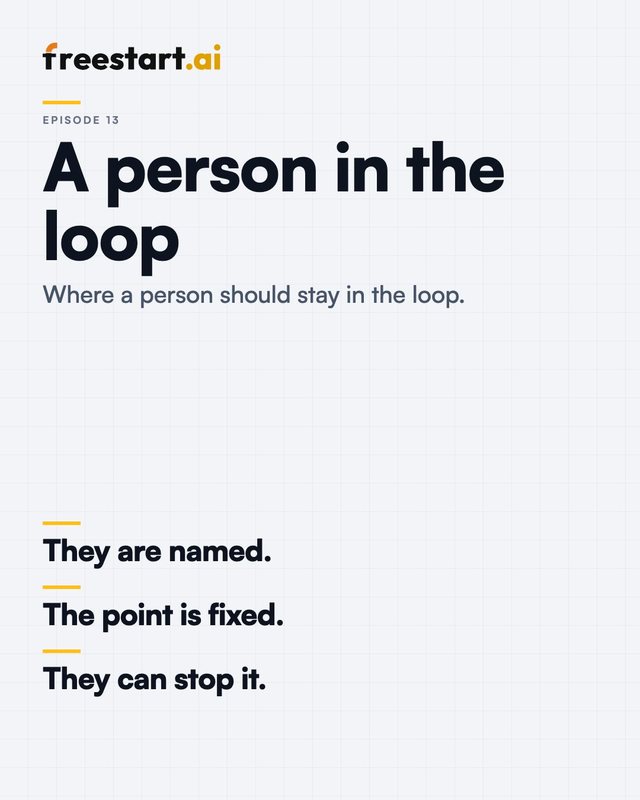
- They are named. A role, or better a person, owns the check. "The team" doesn't.
- The point is fixed. The work stops there every time and can't go round.
- They can stop it. They can reject or change the result, and the software has to respect that.
"Someone could look at the logs" doesn't count. That's a record, which is useful for other reasons, but a record isn't a check.
Decisions software shouldn't take alone
Two questions settle most cases. If this goes wrong, can it be undone? And who answers for it? Where the honest answers are "no" and "a person", a person should make the decision.
That covers:
- Decisions about individuals. Hiring, discipline, pay, performance.
- Taking on or turning away a customer.
- Money and commitments. Payments, refunds, prices, anything that binds the business.
- Advice people will rely on. Legal, financial, medical, planning.
- Publishing in your name. Anything that goes to customers or the public as your considered word.
- Things that can't be reversed. Deleting records, sending to a whole mailing list.
Software can prepare every one of these. It can gather the history, summarise the documents and set out the options. It shouldn't take the decision. We put the same limit on our own planning tools: like Planning Handbook, they don't make planning decisions, give legal advice or guarantee outcomes.
Three kinds of review point
Checks come in more than one kind, and a common mistake is to use the heaviest kind everywhere.
| Kind | How it works | Use it when | In our own tools |
|---|---|---|---|
| Sign-off before release | Nothing leaves until a person approves it | The result is published or sent, and a mistake is costly | PlanningContent: nothing is published until an editor approves it |
| Flag for a decision | Software handles the routine cases and flags the ones that don't fit; a person decides those | Most cases are routine and the exceptions matter | ProspectHub: companies that don't fit the campaign are flagged for the team to reassign or exclude |
| Advise, and the person acts | Software produces research or feedback; a person decides what to do with it | The output informs a judgement and doesn't replace it | CallHub: managers use the reports and feedback to decide who needs help with what |
The third kind gets overlooked because nothing is being "approved". In ProspectHub, the research on a company is where our sales staff start, and they still check it and add to it themselves. In CallHub, manager coaching gives each manager feedback on how to coach better, and the manager decides what to do with it. In both, the person is in the loop because the software never acts in the first place.
There is a fourth kind, checking a sample after the event, which suits high-volume work where a mistake is cheap and easily corrected. It's the lightest, and it's a place to arrive at with evidence. Don't start there.
Placing checks without making the tool useless
If a person re-does everything the software did, you've built an expensive way of doing the job twice. These seven habits keep the checks worth having.
Put the check where the consequence is. A process might have eight steps and one moment where the result leaves the building. Check there. Checking each step separately wears reviewers out and adds no safety.
Show the evidence beside the result. A reviewer who has to go and find the source will stop bothering. In ProspectHub, research gathered from the web carries a link to each source. PlanningAssist, which is in beta, gives numbered sources you can open and read yourself. It's one of the principles on our How we build page: where software gives an answer, it shows what the answer rests on.
Let the software do a first check. In PlanningContent, the text is split into individual claims before an editor sees it, and each claim is checked against the policy: verified, outdated, unsupported, uncertain or not covered. A second, independent check reviews the result. The editor then sees every verdict and citation. A reviewer who is shown a verdict on each claim knows where to look hardest.
Make "I can't tell" an allowed answer. Software that must always produce something will produce something wrong. If nothing matches well enough, PlanningAssist says so instead of guessing. An honest "not covered" sends the case to a person, and that's the right result.
Make the decision quick to record. Approve, correct or reject, on one screen, with room for a reason. If rejecting takes five clicks and approving takes one, people will approve.
Keep a log. Every agent we build has clear limits, a full log of what it did, and a person who signs off. The log is what lets you answer, months later, who approved something and what they were shown.
Revisit the checks. A check that made sense in the first month may be in the wrong place by the sixth. Move it only when you've measured, on your own work, how often it catches anything.
What a good hand-off looks like
When work passes from software to a person, the person should have six things in front of them:
- What was asked. The job, in a line.
- What was produced. The draft, the classification or the answer.
- What it rests on. The sources, linked, next to the points they support.
- What it couldn't do. Anything not found, uncertain or outside its limits, stated plainly.
- What happens next. Exactly what approving will cause.
- A way to change it. Correct or reject, and the correction is kept.
A bad hand-off is an answer and an OK button. The person can't judge the answer without doing the work again, so they either do the work again or press OK.
The rubber-stamp problem
A check that never rejects anything might mean the software is very good. More often, it means the check has stopped working. Signs to watch for:
- Approvals take seconds, whatever the length of the work.
- Nobody can remember the last rejection.
- The reviewer has more to approve than time to read.
The answer is seldom "tell people to be more careful". Reduce what reaches the reviewer by flagging exceptions and passing routine cases, improve what they're shown, and now and then put a known error through to see whether it's caught.
The same rule for the software itself
We apply review to how the software gets built, as well as to what it produces. Each change we make is reviewed before it's merged, and disagreements are recorded and settled, not skipped. How we build: from a written design to a merged change covers that side.